
How to Check Your Product Number
You can search for products using the 6‑digit product number shown on the product tag, care label, or product page. Follow the steps below to learn where to find the product number.
Table of Contents
• Find the product number on the product tag or care label
• Find the product number on the product page
• Find the product number in your purchase history
• Frequently asked questions
Find the product number on the product tag or care label
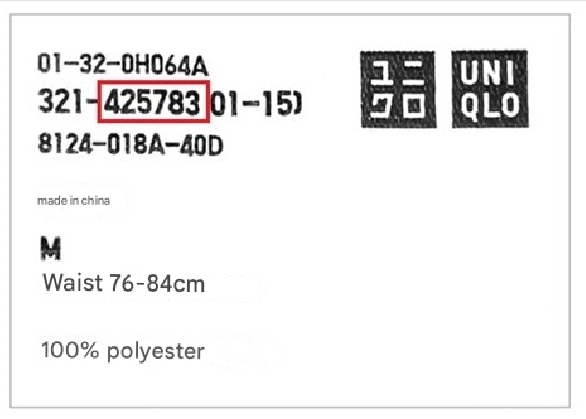
The product number is the 6‑digit number highlighted in red on the tag or care label.
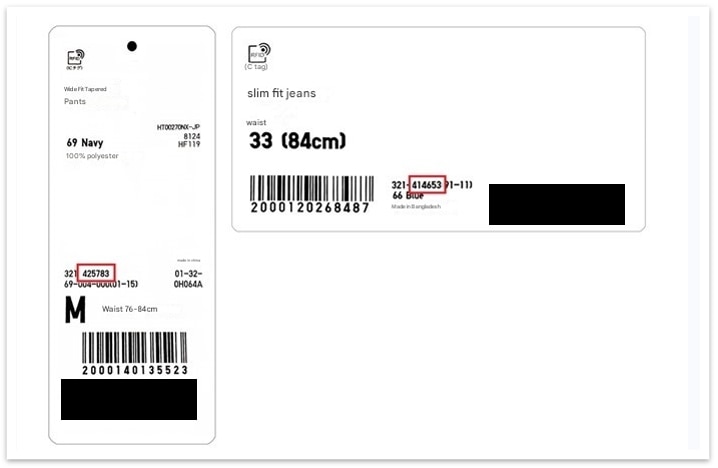
Care label
Find the product number on the product page
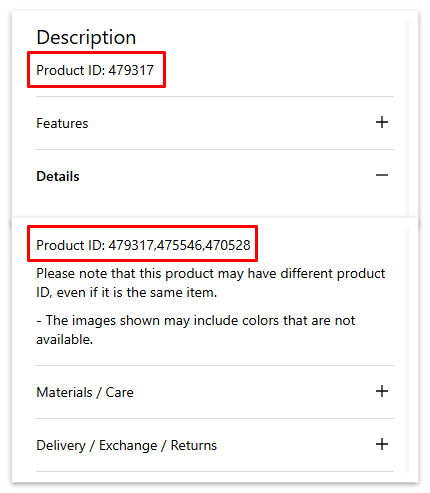
On the product page, the product number appears in the “Description” and “Details” sections.
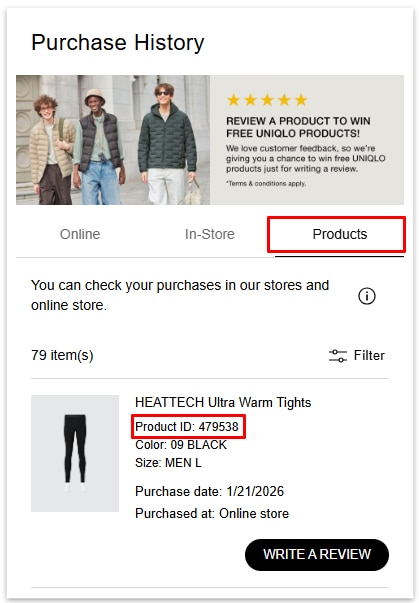
Find the product number in your purchase history
Log in to your Purchase History . Click on the Details button. The product number is shown in the red box for each item.
Orders placed online
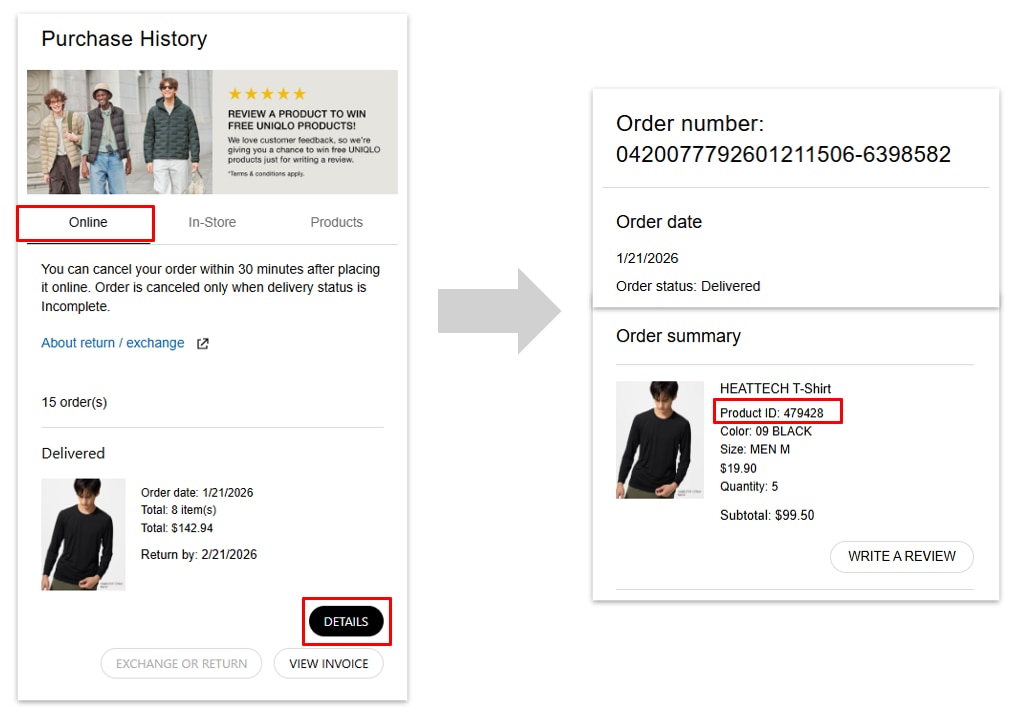
In‑store and online purchase history
Frequently Asked Questions
-
How do I search for a product using a product number?
*If this article did not address your concerns, please ask our ChatBot.
 BY CHAT