
How do I place an order?
-
1. Select a product and add it to the cart
Select the color, size, and quantity, tap [Add to cart], and then tap [View Cart].
If you need to make changes to the item you can do so in the [View Cart] page.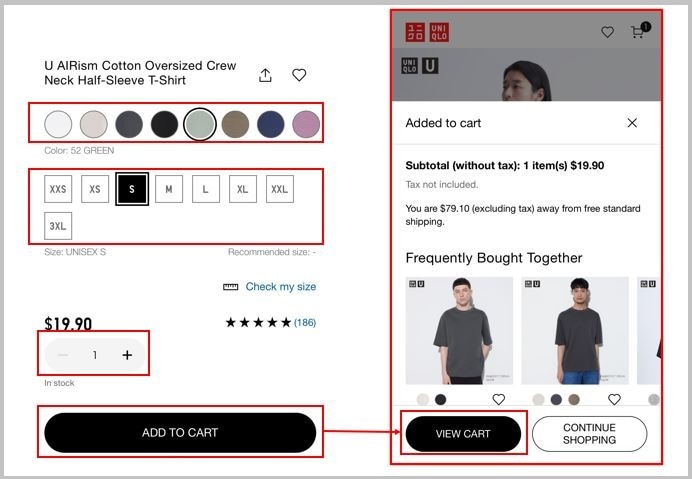
-
2. Proceed to Checkout
Once you are in the Shopping Cart page, you can make any changes to the items in your cart.
Please check that the items in the cart are correct and tap [Checkout].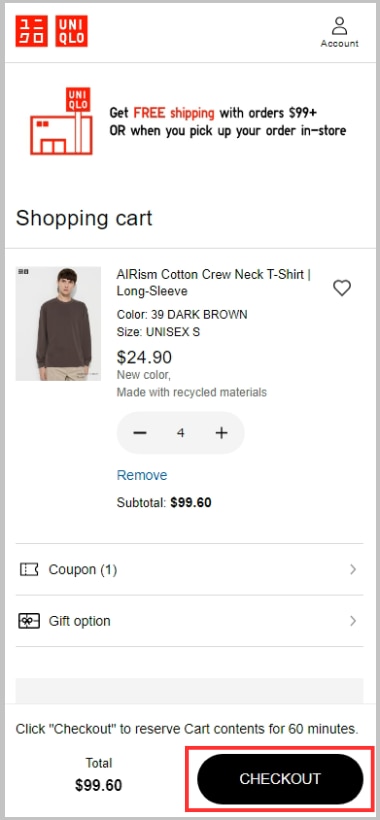
-
3. Log in or Register as a New Member
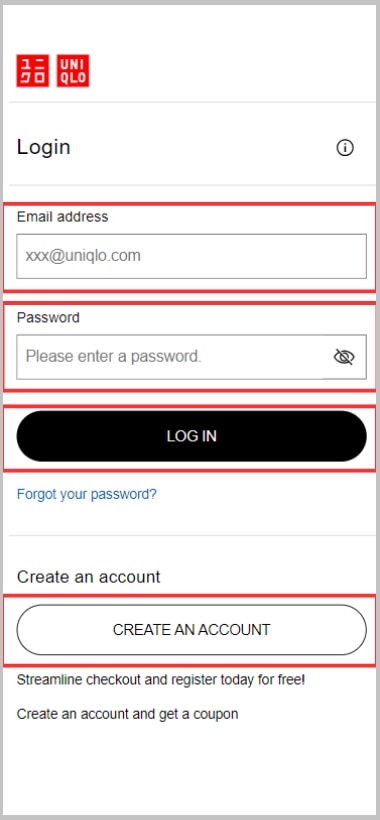
Once you click the [CHECKOUT] button, you will be asked to log into your UNIQLO Account. (If you are already logged in go to Step 4)
If you are an existing UNIQLO.com Account holder, please enter your Email address and Password to log in.
If you are shopping with us for the first time, please Create an Account to continue with order placement
-
4. Apply a Coupon (if you have one)
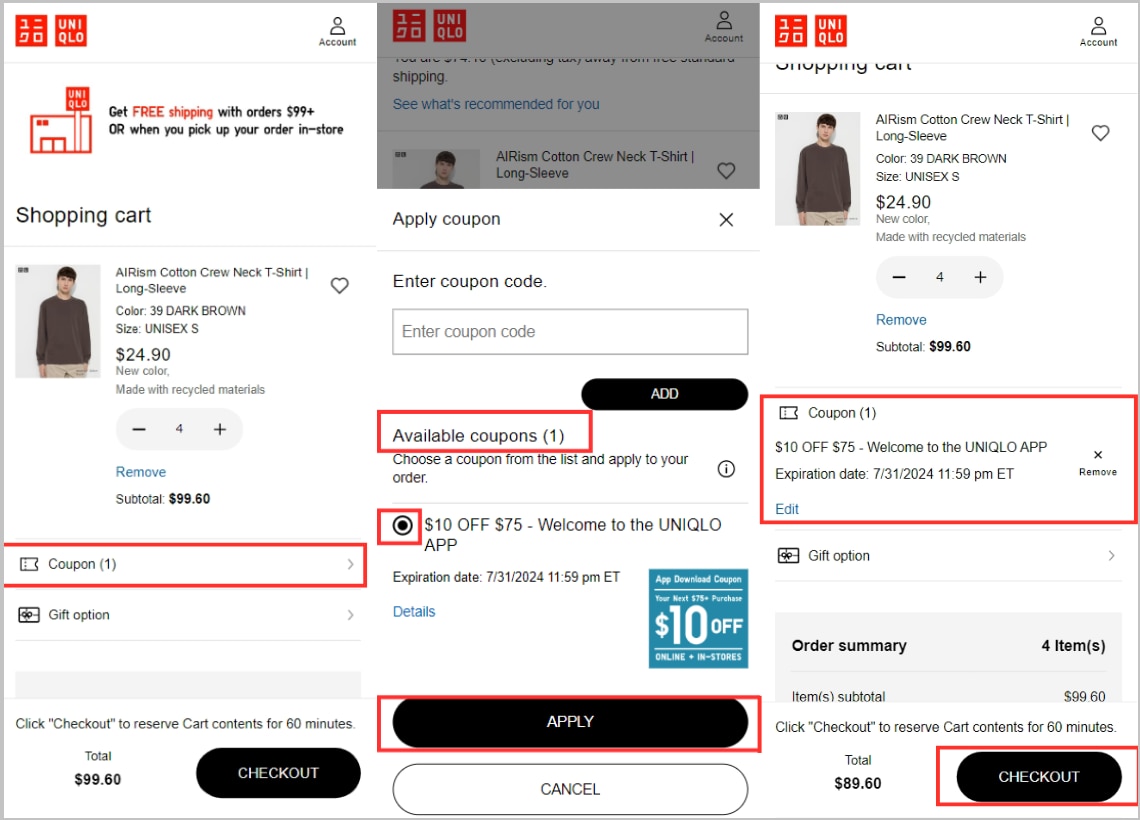
Once you are logged in you can see all your available coupons.
To apply your coupon to an online order follow the steps:1. Click [Coupon].
2. Select the desired coupon and select [Apply].
3. Your Shopping Cart will now show the Coupon you applied to your order.
4. Click [CHECKOUT] once again to proceed.
-
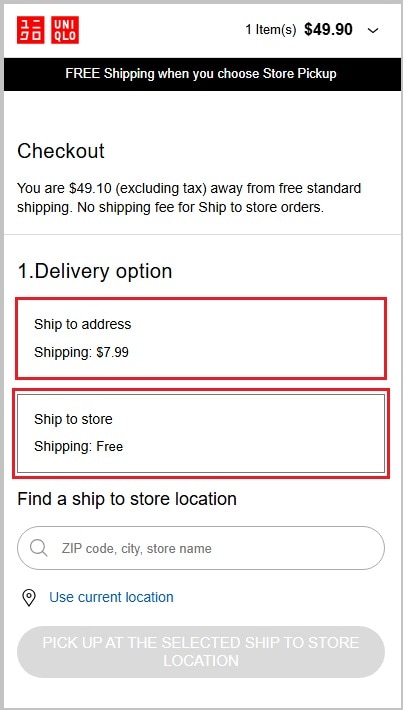
5. Select the delivery method
The delivery methods that can be used vary depending on the content of your order.
Please specify from the displayed delivery methods.[Ship to Home] Orders have different delivery times and costs.
[Ship to Store] is always FREE. Typically takes 3-7 business days to arrive to the desired store location.
-
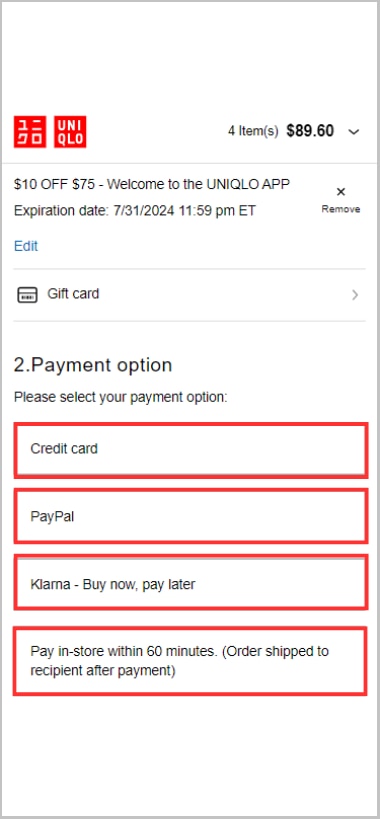
6. Select a payment method
Choose the form of payment for your order.
-
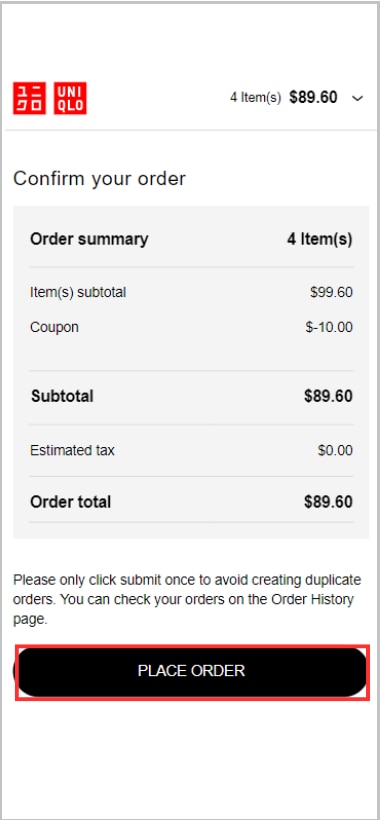
7. Order completed
Check your order contents with the order summary. Once everything appears to be and tap [Place Order].
-
Can I purchase UNIQLO products and GU products together ?
No, all orders can only be placed for their respective retail store. UNIQLO products and GU product cannot be added to the same cart or purchased together at the same time.
-
Is there sales tax for online orders?
In accordance with updated individual state regulations, sales tax is automatically applied to your order if your shipping address is in one of the following states:
Alabama, Arizona, Arkansas, California, Colorado, Connecticut, Washington D.C, Florida, Georgia, Hawaii, Idaho, Kansas, Illinois, Indiana, Iowa, Kentucky, Louisiana, Maine, Maryland, Massachusetts, Michigan, Minnesota, Mississippi, Missouri, Nebraska, Nevada, North Carolina, New Jersey, New York, North Dakota, Ohio, Oklahoma, Pennsylvania, Rhode Island, South Carolina, South Dakota, Tennessee, Texas, Utah, Vermont, Virginia, Washington, West Virginia, Wisconsin, Wyoming.
If your shipping state is to the following states, you will not incur sales tax on your order:
Alaska, Delaware, Montana, New Hampshire, and Oregon
-
Can I pay for my order with multiple credit cards
At this time, our system does not support payments using more than one credit card.
-
Can I split a payment with a gift card and a credit card
Yes! Gift cards can now be used as a payment option on their own or in conjunction with another payment method (such as a Credit Card, PayPal, or using the Pay in-Store feature).
 BY CHAT