
Online Orders | How to Return
Online Orders | How to Return
Table of Contents
* How do I return my Online order?
* Exchange and Return Policy Information
* How do I process an Exchange?
* Related FAQ Articles
-
1. Go to your Purchase History
Log in to your UNIQLO account on the website or app and visit the Purchase History page.
Select EXCHANGE OR RETURN on the order you wish to return.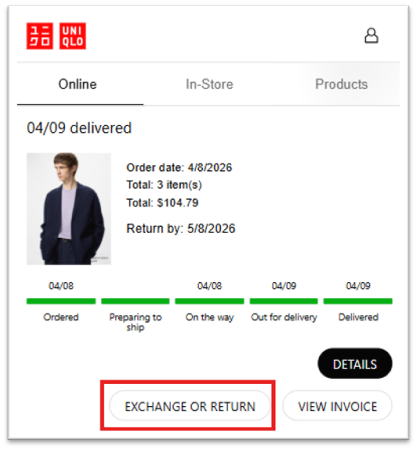
-
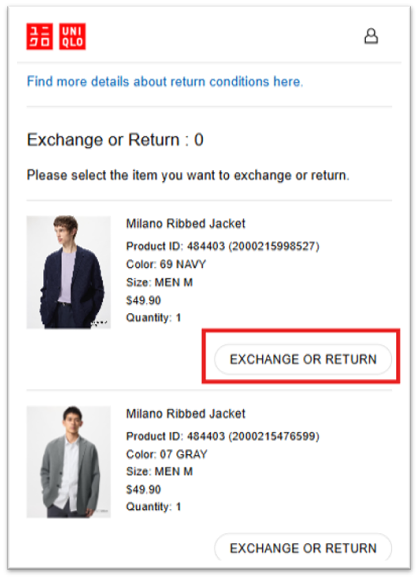
2. Select the item(s) you wish to return
Select the item you wish to return and click EXCHANGE OR RETURN. If you have multiple items to return, repeat this step for each item.
When prompted, select RETURN and then click CONTINUE.
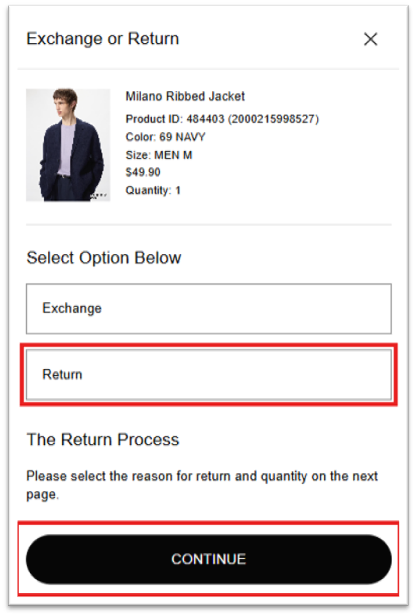
Please note: A $7 return label fee (plus applicable state taxes) will be deducted from your refund total.
-
3. Select your reason for return
Select the Reason for Return and click CHECK SELECTION DETAILS. Your feedback helps us improve our products and services.
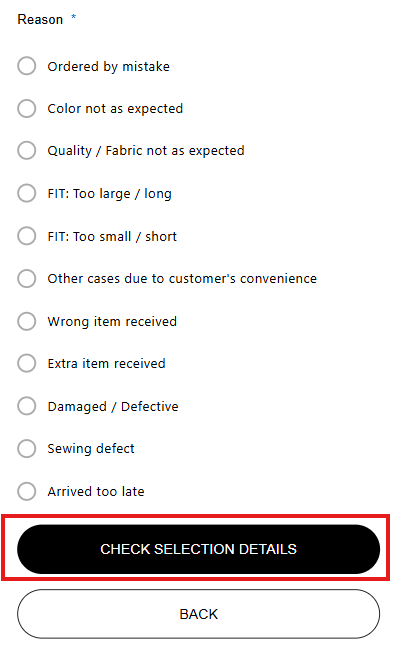
Once selected, the item count will update. When you are done adding items, click CHECK FORM DETAILS to proceed.
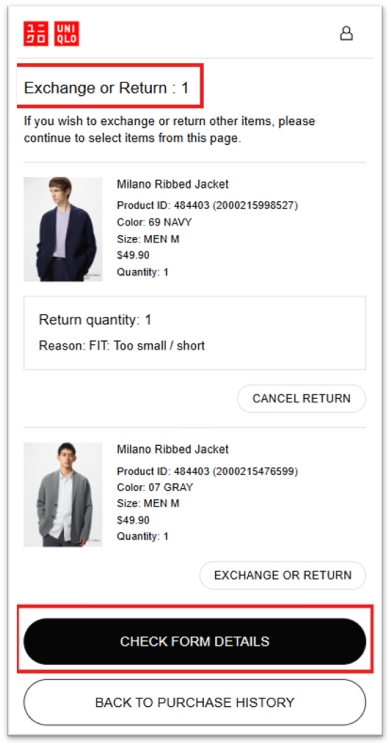
-
4. Review and submit your return
Review your return details (items, quantities, etc.) and click SUBMIT FORM.
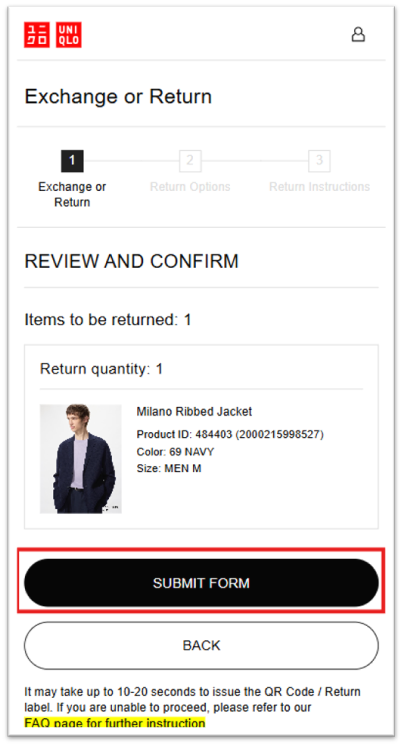
Once you see the Return Accepted message, click PROCEED TO RETURN to continue.
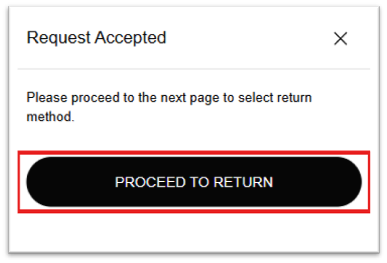
-
5. Choose your return method
Select how you would like to return your items:
Option A — Print Label: Generate and print your prepaid return label. Attach it to your package and drop it off at the carrier location shown on the label (FedEx)
Option B — QR Code (No Printer Needed): Select the QR code option. Bring your package and smartphone to a participating FedEx location. A FedEx associate will scan your QR code and print the label for you. You can access your QR code anytime from the UNIQLO app.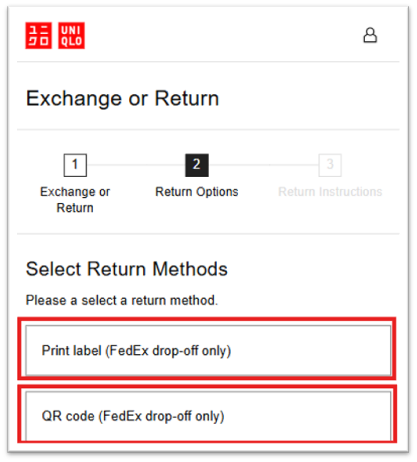
-
6. Generate your return label and drop off your package
Click CONFIRM RETURN METHOD to generate your prepaid return label.
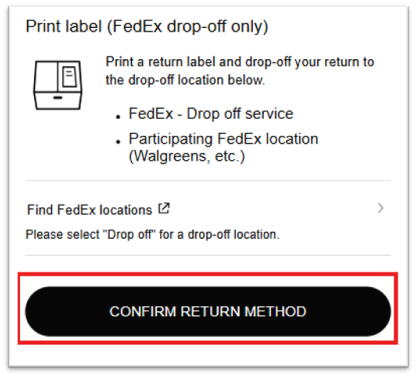
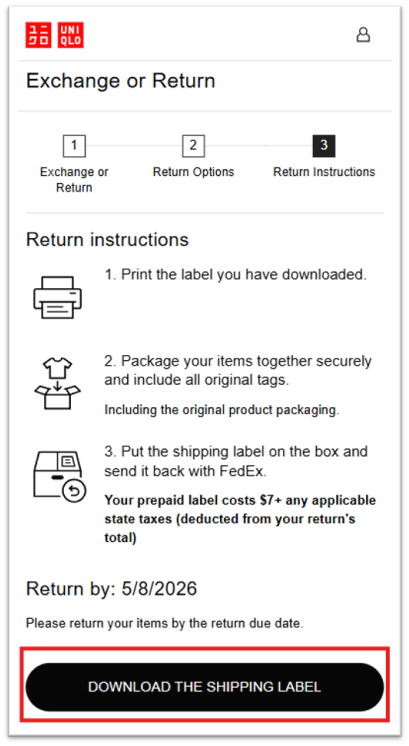
Click DOWNLOAD THE SHIPPING LABEL to view and print your label. A new tab will open with your return label.
-
7. Using a QR code (if you do not have a printer)
If you do not have access to a printer, select the QR code option during the return process. Please note that not all FedEx locations support QR code scanning. Visit the FedEx QR Code Locations page to find a participating location near you.
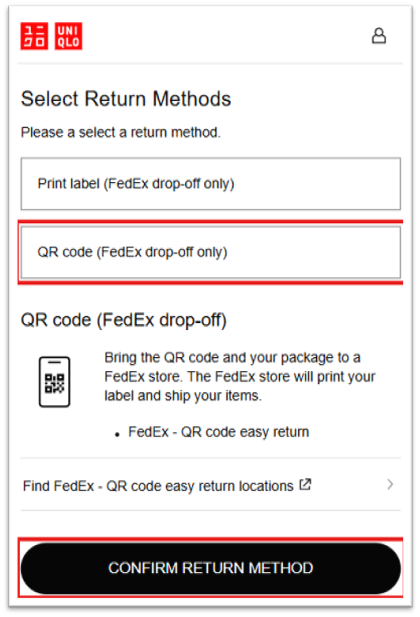
Confirm return instructions for returns with QR code below. The QR code will be shared under Return instructions.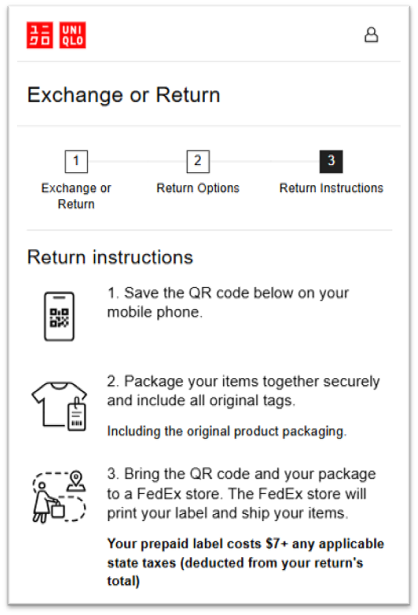
Return Window
All items must be unworn, unwashed, unaltered, and have all original tags attached.
Example: Shipped Date: April 1st → Last Day to Return: April 30th
Online Orders (Home Delivery | Ship to Store | Pick Up Today)
- Online returns can only be accepted via mail using the prepaid return label.
- Purchases paid with Pay In Store must be returned to the original store of purchase.
Can I return Online Orders in stores?
Is there a fee to return online orders?
- If returning multiple orders in one package, generate a separate return label for each order. Place one label on the outside of the box and all additional labels inside the package. You will only be charged one $7 return fee.
What to expect after sending your return
2. Please allow time for transit, tracking updates may take several days.
3. Once your return is received at our warehouse, please allow 7–10 business days for your refund to be processed.
4. You will receive a refund confirmation email once processing is complete.
Tip: You can track your return anytime using the carrier tracking number provided in your return confirmation email.
Please see the following FAQ article: How do I exchange my online order
Please check the FAQ pages below for additional information.
 BY CHAT